
 Mac · $6.99 once · No account
Your desktop
becomes the sky.
Orbit for Mac turns the desktop into the real sky over your city: the stars, the planets and the Moon where they are tonight, the colours of dusk and dawn as the Sun moves. When the space station passes over, it crosses your desktop, timed to the second.
Star, planet and Moon positions are computed on your Mac. The clip above was drawn by the app itself: the station’s pass over New York on the morning of 18 October 2026, seven minutes in fifteen seconds.
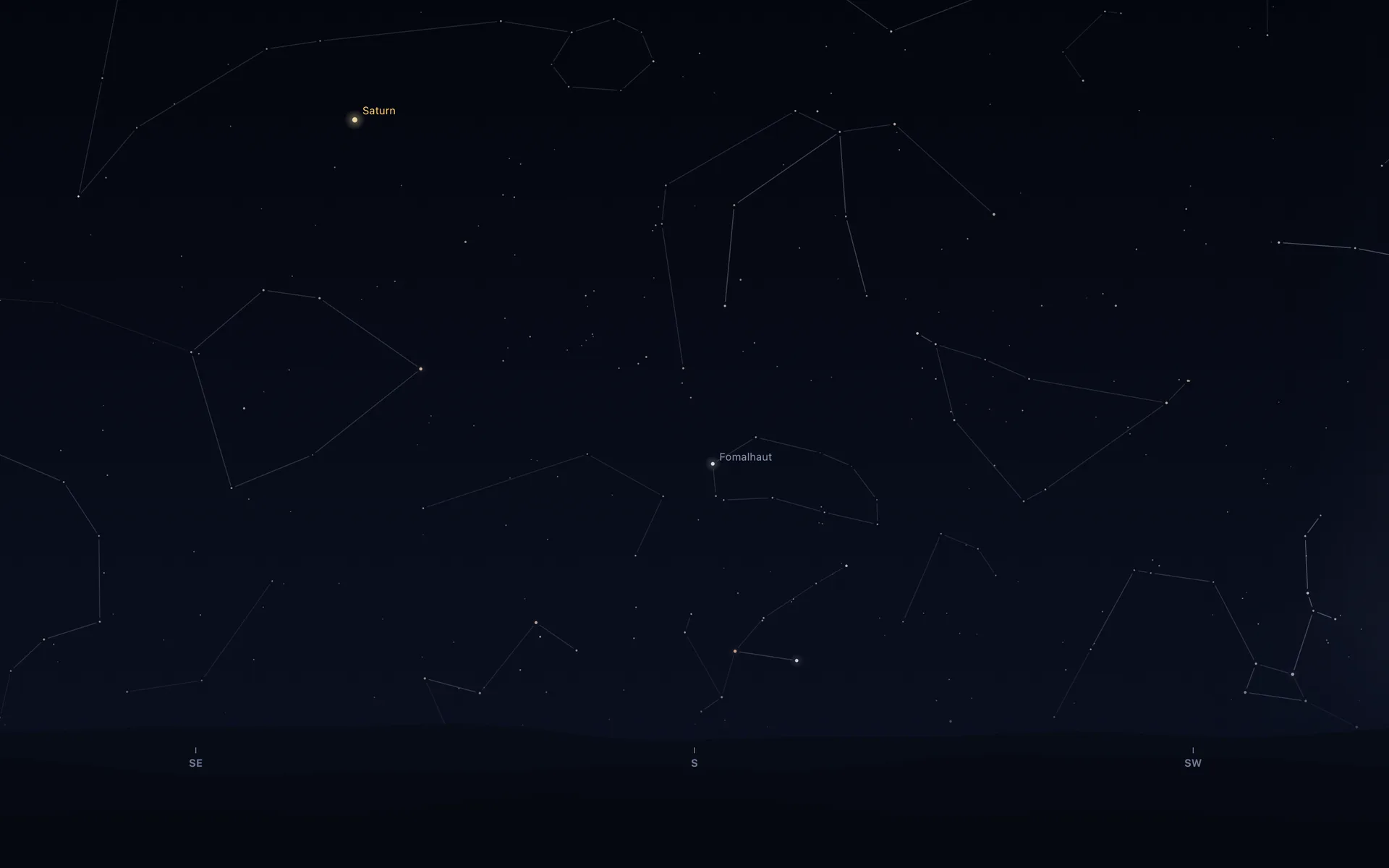
The sky outside, once a minute.
The wallpaper is the real sky over the city you choose: about 2,900 stars, the constellation figures, the five naked-eye planets, the Moon in its true phase and tilt, the Milky Way, the colours of twilight and the blue of the day, over far hills along the foot of the screen. It is redrawn once a minute and never asks for your attention. Face north, east, south or west; turn the figures and the labels on or off.
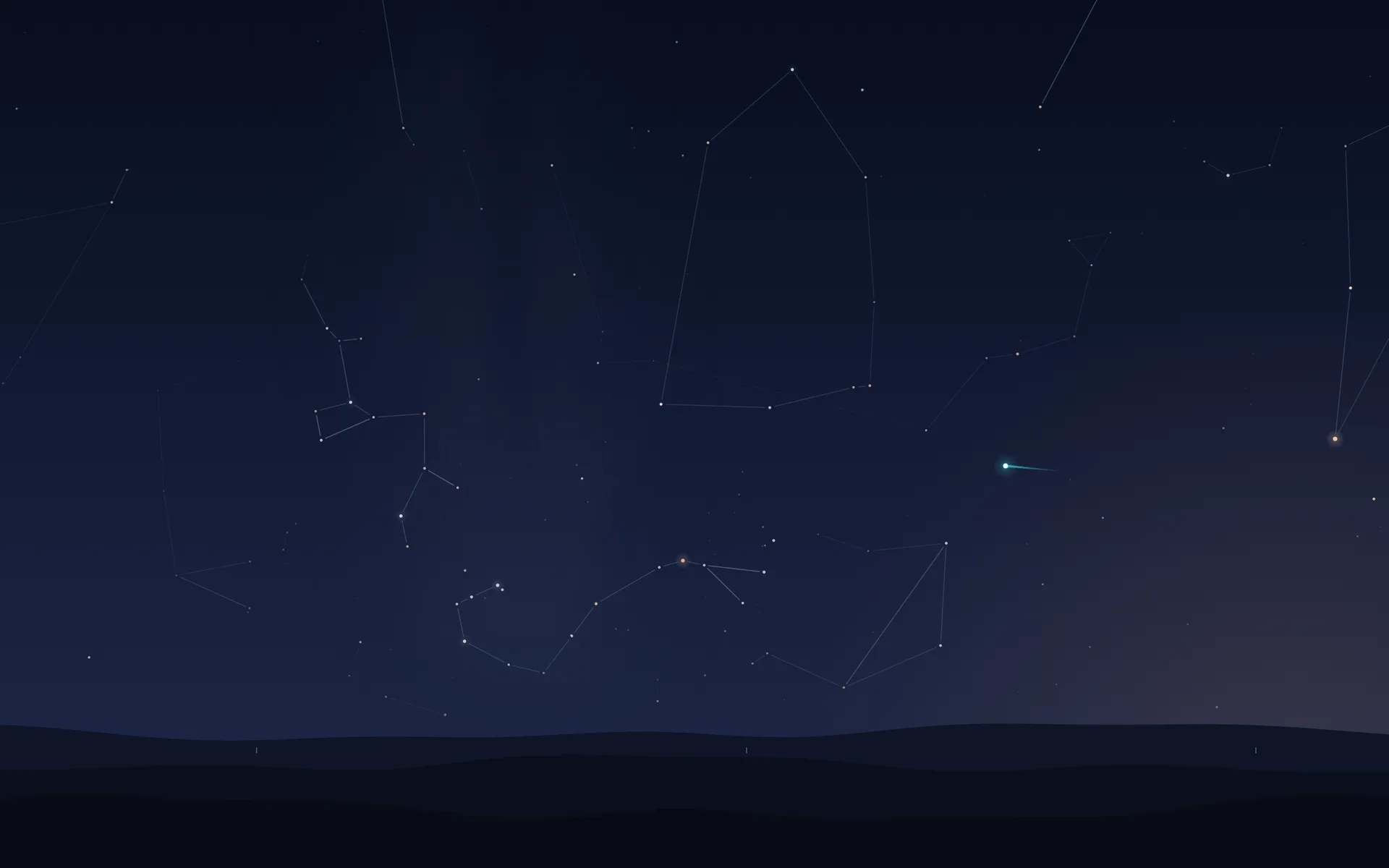
When the station crosses your sky, it crosses your desktop.
The International Space Station is the brightest thing people have ever put in the night sky, and it is only up for a few minutes at a time. During every visible pass over your city, a bright point with a short trail crosses the desktop from the second it rises to the second it sets, on a sky that has turned to face it. The menu bar reads ISS overhead. A gold button on the briefing card previews the next pass across the desktop in twelve seconds, any time you like.
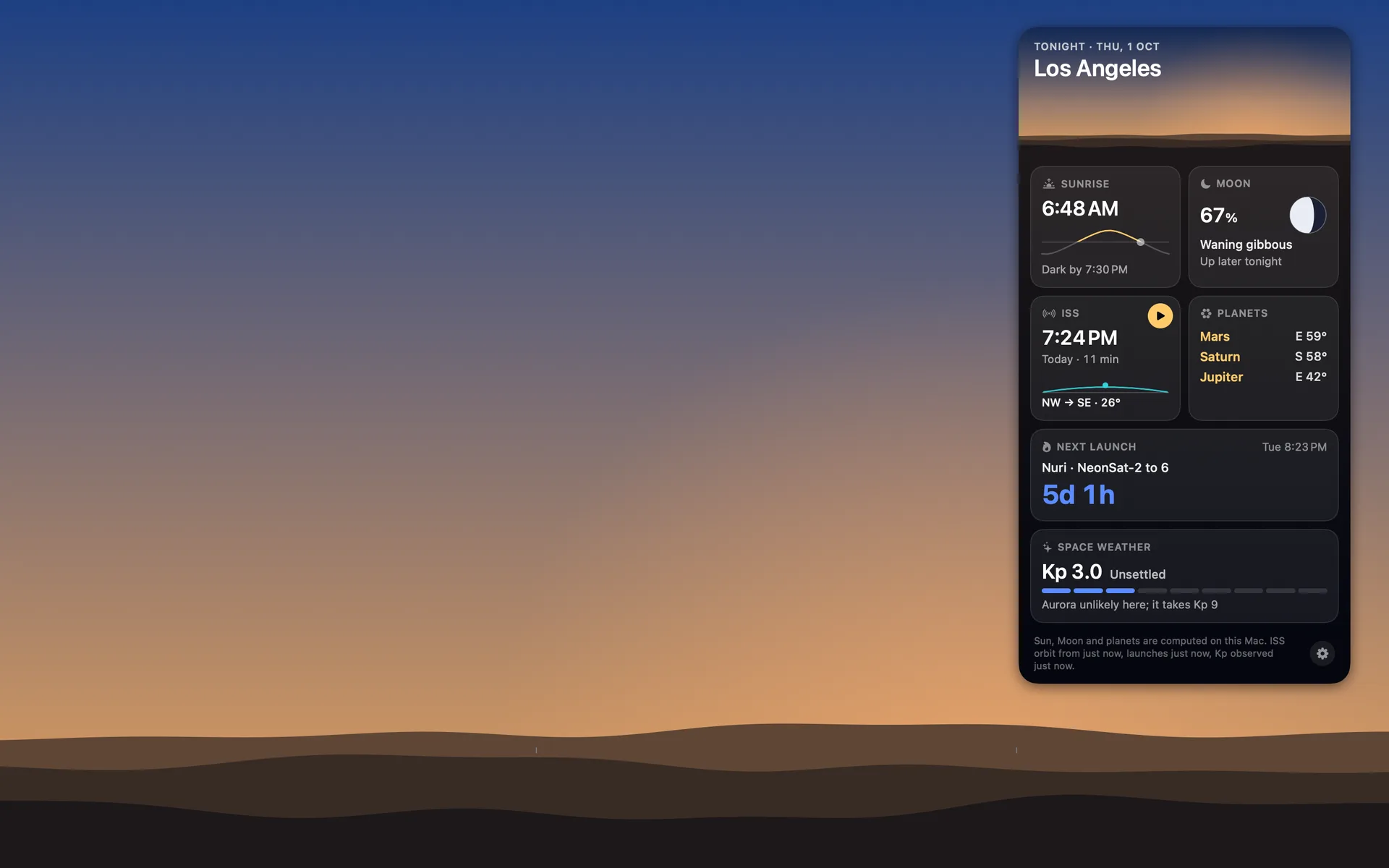
Tonight’s briefing, one click away.
A Moon in tonight’s phase sits in the menu bar. Click it for the briefing card: sunset and when it is dark enough for stars, the Moon, the planets worth looking for, the next visible pass, the next rocket launch with a countdown, and space weather with the aurora outlook, each with a line saying how old its source is. Beside the Moon, the next thing worth knowing: ISS 7:24 PM, or Launch in 5h 12m.
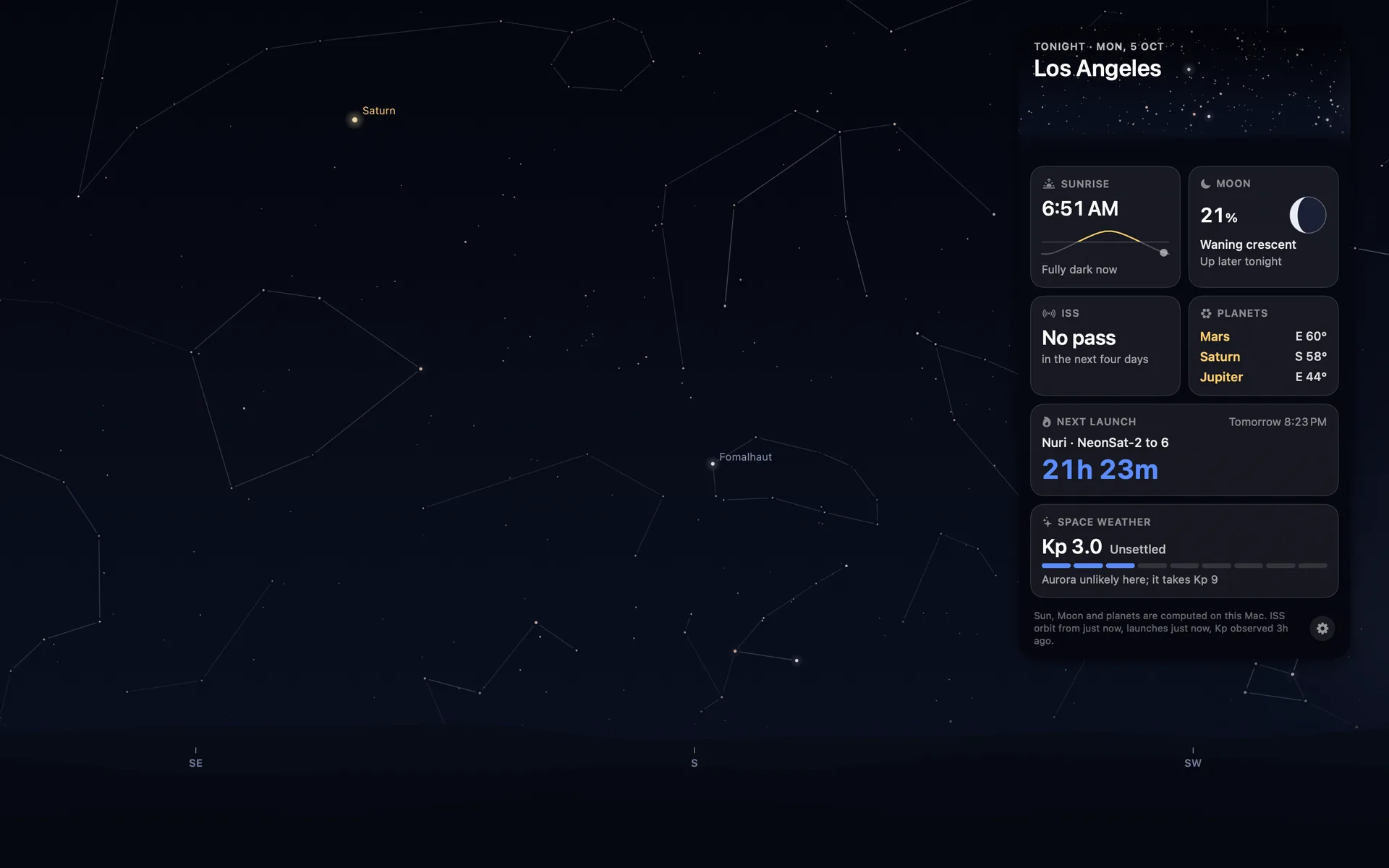
Told in time, never nagged.
Three switches, each off until you turn it on. ISS rises in 5 minutes, before every visible pass, with where to look and how high it climbs. Launch in 30 minutes, for a launch the provider has confirmed. Aurora may reach you tonight, once on a night the Kp index says it might. None of them makes a sound, and a click on any of them opens the briefing card.

A wallpaper by day as well.
By day the Sun stands where it stands in a quiet blue, dawn and dusk warm the horizon on the Sun’s side, and the hills take their colour from the sky above them. Nothing on the desktop pulses, twinkles or scrolls for decoration. The only things that move are real: the station during a pass, and the sky itself, at its own pace.
It draws the sky once a minute and does nothing in between.
Orbit was built for a Mac that is busy with other work all day. The sky is one still image, drawn off the main thread when the minute changes. During a pass the station is a small layer the system moves on its own, so the app is not even woken while it crosses. Orbit pauses whenever the desktop cannot be seen: behind a full-screen app, on the lock screen, while the display sleeps, or when the battery is low.
of the processor when idle, measured on an Apple silicon Mac mini
of memory while it runs; about 33 with the briefing card open
redraw of the sky, and none at all while the desktop is hidden
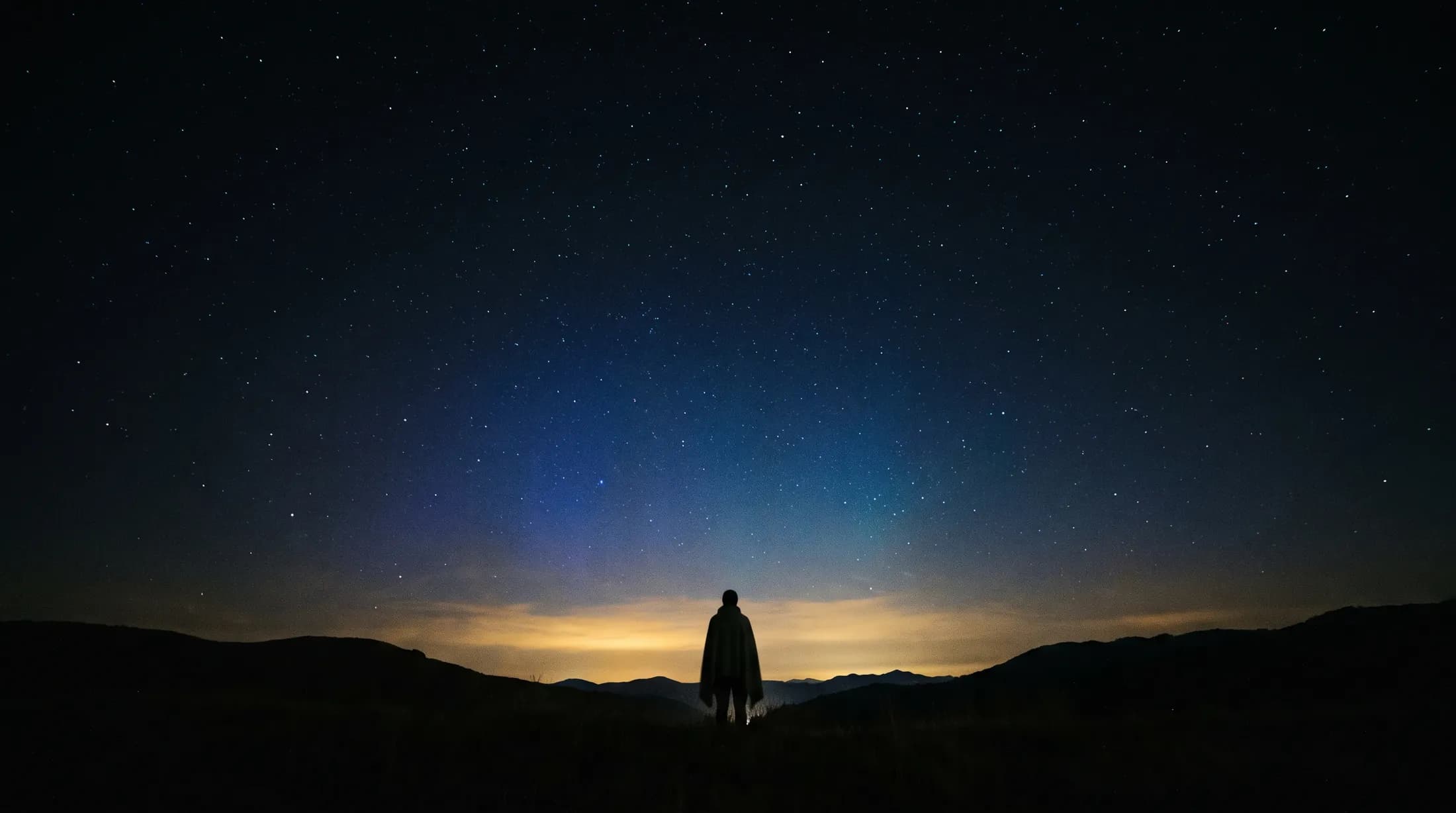
Built to watch the sky, not you.
No account, no advertising, no analytics. The App Store’s privacy label reads Data Not Collected.
Pick a city from the list, or use Location Services once. The coordinates never leave the machine, and nothing looks up a place name.
CelesTrak for the station's orbit, Launch Library 2 for the launch schedule, NOAA for the Kp index. Every address is fixed and carries nothing about you.
Passes, launches and aurora nights are scheduled on your Mac through the system's own notifications. No push server, and nothing is announced twice.
Orbit runs in the App Sandbox with the network and location entitlements only. Opening at login is off until you say yes, once, at the first launch.
What the desktop does in a day, which nobody sees at its real pace.
Dawn, the Sun across the sky, sunset, the stars and the Milky Way, the Moon, dawn again. Los Angeles on 17 October 2026, facing south, drawn by the app.
Orbit is also a free app for Android.
The same engine computes both. On a phone, Orbit is a guide you carry outside: the station on a map, every launch, a sky you point the phone at. On the Mac it is the sky itself, on your desktop all day, with the briefing in the menu bar. Both are built by Mad Max Labs, the independent studio of Syed Zaid.
Wallpapers, batteries, the station and the Moon.
- Living with the real night sky as my Mac wallpaperMy Mac's wallpaper is the real night sky over the city I pick, redrawn every minute. What living with it is like, and why Bengaluru sees more sky than LA.
- How to get a live wallpaper on a Mac: what moves, and what it costsHow to get a live wallpaper on a Mac, free or paid: Apple's aerials, video apps, Plash for GIFs and the real sky over your city, with what each one costs.
- Free night sky wallpapers for Mac: eight 5K skies, from Orion to a supermoonFree night sky wallpapers for Mac and MacBook in 5K, each a real sky on a real date: Orion over New York, a supermoon, the Southern Cross and the ISS.
- Does live wallpaper drain battery on a MacBook?A video wallpaper works on every frame it plays. Mine draws one picture of the sky a minute. Measured CPU and memory, and how to check any app yourself.
- How to get a live wallpaper on a MacBook Neo without eating its 8 GBYes, a MacBook Neo can run a live wallpaper. Which kinds go easy on its 8 GB, the free ones Apple ships, the 2408 by 1506 size, and what my app weighs.
- How to get ISS pass alerts on a Mac, now that NASA's space station emails are goneNASA stopped Spot the Station's email and text alerts on 12 June 2025. Here's how to get ISS pass alerts now, on your phone or right on your Mac's desktop.
- How to put the Moon phase in your Mac menu bar (or a widget)Six apps put the Moon phase in a Mac or MacBook menu bar, from free to $6.99. Also: how to add a Moon widget, what Weather shows, and 2026's full moons.
- Dynamic wallpaper not changing on your Mac? 8 things to check, in orderMac dynamic wallpaper not changing or moving? Set the menu to Dynamic, then check Location Services, your time zone and Appearance, on Tahoe and macOS 27.
- The best astronomy apps for Mac in 2026, and which ones are iPad appsThe best astronomy apps for Mac in October 2026: Stellarium, Night Sky, SkySafari, Starry Night 8 and more, with US prices and which ones are iPad apps.
- Mac apps without a subscription: 14 you can buy onceMac apps without a subscription: 14 you can buy once in 2026, from Magnet at $4.99 to BBEdit at $59.99, with update terms where the seller states them.
- How my Mac live wallpaper idles at 0.04% CPUMy live wallpaper idles at 0.04% CPU on a Mac. How it draws one picture of the sky a minute, stops when you can't see it, and what ate its memory instead.
- How my first Mac app got through App Review, Guideline 2.1 letter and allApple sent my first Mac app a Guideline 2.1 Information Needed letter. I answered the same day with a screen recording; it was approved five days later.
Questions, answered.
Does it slow my Mac down or drain the battery?
No. Orbit draws one image a minute and nothing in between, and it pauses when the desktop is hidden, on the lock screen, while the display sleeps, or when the battery is under 20 percent. Measured at under 0.1 percent of the processor when idle.
Does it replace my wallpaper for good?
No. The sky is a window behind your desktop icons. Quit Orbit and your wallpaper is exactly as it was. The login and lock screens keep the system wallpaper.
Which Macs does it run on?
Any Mac running macOS 15 or later, Apple silicon or Intel. Each display gets the same view for now; one panorama across several displays is on the list.
Why is there no pass for me this week?
Visible passes come in runs of a few evenings or mornings with gaps between them, and some weeks a city has none. The card says so and names the next one as soon as there is one.
Where does the data come from?
The station’s orbit from CelesTrak, the launch schedule from The Space Devs’ Launch Library 2, and the Kp index from NOAA’s Space Weather Prediction Center. Star, planet and Moon positions are computed on your Mac.
Is my location sent anywhere?
No. Pick a city from the list, or use Location Services once; either way the coordinates stay on the Mac, and nothing looks up a place name.
Is there a subscription?
No. Orbit for Mac is $6.99, paid once on the Mac App Store, with no in-app purchases and no tracking. That is how it stays that way.
How is it different from the Android app?
Same sky engine, different job. On Android, Orbit is a guide you carry outside: the station on a map, every launch, a sky you point the phone at. On the Mac it is the sky itself, on your desktop all day, with the briefing in the menu bar.
The sky on your desktop. Tonight.
The next pass is already on its way. $6.99 once, no subscription, no account. Put the real sky on your desktop and know when to look up.
macOS 15 or later · Apple silicon and Intel