
Dynamic wallpaper not changing on your Mac? 8 things to check, in order
Mac dynamic wallpaper not changing or moving? Set the menu to Dynamic, then check Location Services, your time zone and Appearance, on Tahoe and macOS 27.
If your Mac's dynamic wallpaper never changes, open System Settings, click Wallpaper and look at the small menu beside the picture. It has to say Dynamic. Automatic only follows Light and Dark mode, and the two Still options never change at all. If it already says Dynamic, your Mac probably doesn't know where or when you are, so check Location Services and the time zone in Date & Time. And if you were waiting for it to move like a video, it won't: it changes its light in steps across the day, so you notice it after lunch, not while you stare at it.
The steps below come mostly from Apple's own guides for macOS Tahoe and macOS 27, which agree with each other, so they work on both.
Why is my dynamic wallpaper not moving on my Mac?
Work down this list from the top. The first two take seconds, and none of it needs Terminal.
- In System Settings, then Wallpaper, the menu beside the current wallpaper offers Automatic, Dynamic, Light (Still) and Dark (Still). Only Dynamic, in Apple's words, "Gradually brightens and darkens, based on the time of day for your current location." If you picked the dark look when you first set up the Mac, you were given a dark still to start with, so you can be stuck on one without ever choosing it.
- No Dynamic in the menu means that wallpaper can't do it, and only nine of Apple's built-in stills can (the table under this list names them). Sonoma, Dome, Peak, Tree, Valley, Iridescence and the hello colours are light-and-dark pairs, so they do Automatic but never Dynamic. If a download arrow shows next to a wallpaper's name, click the picture to download it first. On my Mac mini running macOS 27, most of the files in /System/Library/Desktop Pictures are about 500 bytes, roughly the length of this paragraph, because each one is only a note saying which wallpaper to fetch.
- Both live in System Settings, under Privacy & Security, then Location Services. With Location Services off, a dynamic wallpaper goes by the time zone in Date & Time instead of where you are. Then scroll to the bottom of the same list, find System Services and click Details. Check that Setting time zone is on, and System customization while you're there. Setting time zone is the one that lets your Mac work out its time zone from where it is.
- Under General, then Date & Time, turn on Set time zone automatically using your current location (it needs Location Services), or switch it off and type your nearest city. A Mac that thinks it's somewhere else shows somewhere else's light, which is how you get a sunrise picture at teatime.
- Automatic follows your appearance, so with Appearance set to Light or Dark it never moves. Set it to Auto in System Settings, Appearance. Auto follows your Night Shift schedule (Sunset to Sunrise needs Location Services), and it only switches once the Mac has sat idle for at least a minute, so it won't flip halfway through a sentence you're typing.
- If a new wallpaper lands on one desktop and the others ignore it, turn on Show on all Spaces in Wallpaper settings to put the same wallpaper on every Space and display. With it off, each one can keep its own.
- For a dynamic HEIC you downloaded, go to Wallpaper, scroll to Your Photos and click Add Photo. Basic Apple Guy warns that setting one from an image preview or the menu bar sometimes loses the dynamic part.
- Pick a different wallpaper, then switch back. If that does nothing, free some disk space, restart, and try Safe Mode to rule out other apps; that's the top reply in an Apple Community thread, not Apple's own advice. You can also quit WallpaperAgent, the background process behind wallpapers, in Activity Monitor; macOS starts it again by itself (a community tip written for Sequoia's Macintosh wallpaper). Skip any guide that tells you to delete caches or preference files.
Tap a box as you go. Checks reset when you leave this page.
| What it does | Wallpapers |
|---|---|
| Follows the Sun (offers Dynamic) | Big Sur, Catalina, Monterey Graphic, Ventura Graphic, The Beach, The Cliffs, The Desert, The Lake, Solar Gradients |
| Light and dark only (Automatic or a Still) | Sonoma, Dome, Peak, Tree, Valley, Iridescence, Big Sur Graphic, Chroma, Grid, Motion, hello |
| No time-of-day change | iMac colours, Radial, Hello Metallic, Light Stream, the Big Sur and Catalina photo stills, Pro Black, Studio Color |
macOS Tahoe dynamic wallpaper not working?
Three things catch people on Tahoe, and the first is Automatic. In an Apple Community thread opened in September 2025, someone's Tahoe and Sonoma wallpapers were set to Automatic and sat dark at 2 PM. The top reply said Automatic follows the Appearance setting, so Appearance has to be on Auto. One member, whose Appearance was set to Light, came back after 26.1, 26.2 and 26.3 to say Automatic still didn't change on its own the way it had on Sequoia. Apple's macOS 27 guide describes Automatic the same way, so on either system, step 05 is the place to start.
The second is Tahoe's own wallpaper. Basic Apple Guy noticed during the betas that Apple made dawn, dusk and night versions of the Tahoe lakeside picture without making them dynamic, so he built free ones himself. His time-of-day version runs on fixed clock windows (day is 10 AM to 6 PM, for example) rather than the Sun.
The third is the aerials. Apple's macOS 26 guide says they animate as you lock your Mac and again as you come back in from the lock screen. The rest of the time they sit still. For wallpapers that keep moving while you work, I've compared the options in how to get a live wallpaper on a Mac.
What is a dynamic wallpaper on a Mac?
It's one image file with several stills of the same scene inside, each tagged with a position of the Sun. Your Mac works out where the Sun is for you and shows the matching still. Apple brought them in with macOS Mojave in 2018, and Mojave's desert wallpaper packed 16 photos into one file, as TidBITS found.
So it changes in steps, like a slideshow that takes the whole day to get through. Nothing plays between the changes, so going by how it works, it costs a MacBook's battery very little (more on that).
The light-and-dark kind holds only two pictures. Apple used to file these separately as Light & Dark Wallpapers; in Tahoe and macOS 27 they sit under Dynamic Wallpapers, and the easiest way to tell them apart is whether the menu offers Dynamic. On my Mac mini, Sonoma's file has exactly two images, tagged for the system's appearance instead of the Sun, which is why Sonoma can't do Dynamic.
A Mac wallpaper that changes with the time of day, minute by minute
My own app, Orbit: Live Sky Desktop, does the time-of-day trick without photos. It draws the sky over your city behind your desktop icons and redraws it once a minute, so its steps are a minute apart instead of hours. The Sun sets and the stars come out when they do outside, and during a visible pass the space station crosses the screen. It still moves at the real sky's pace, so don't expect to watch it go (living with a real sky wallpaper has more on that pace).
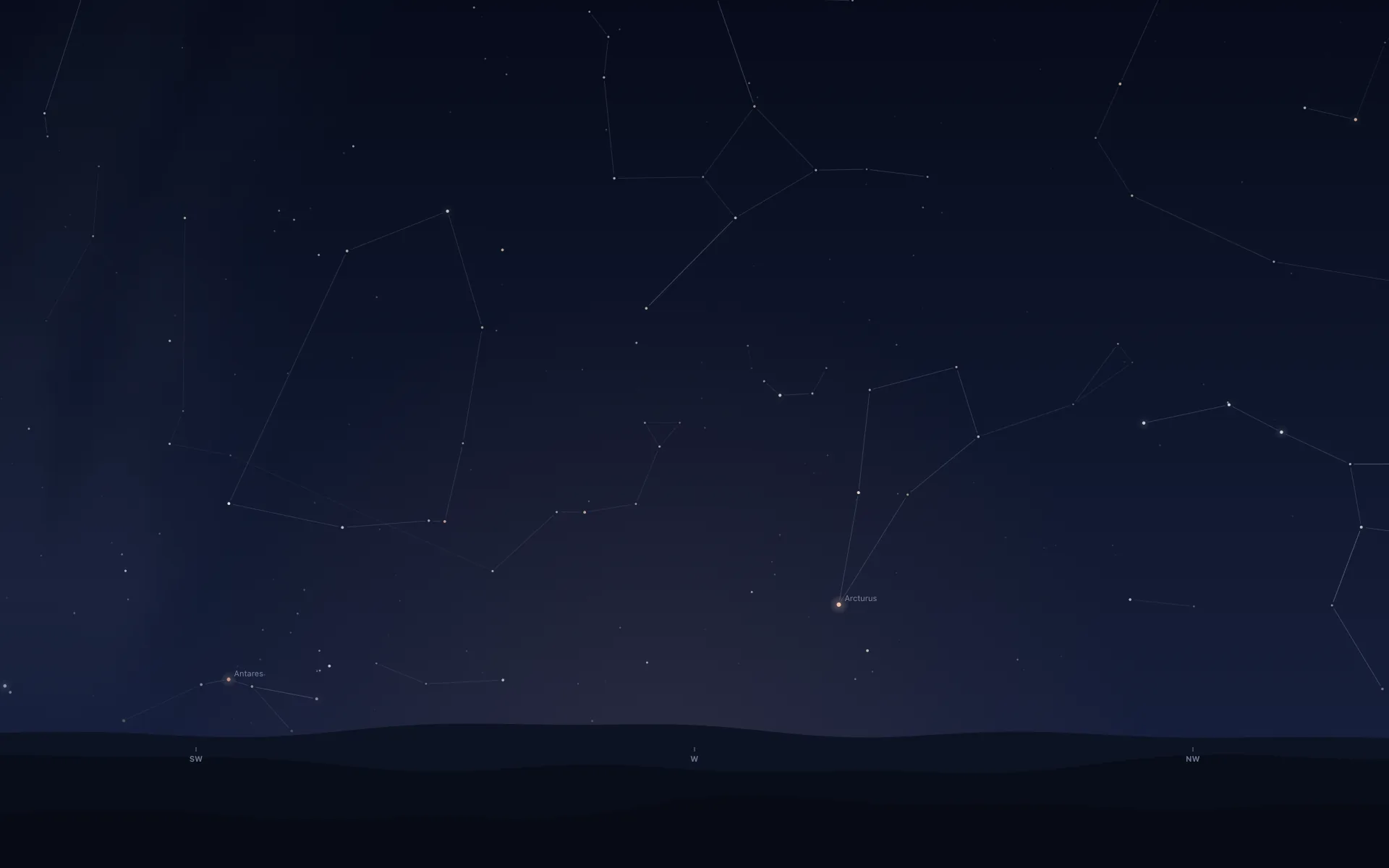
It asks less of your settings than Apple's does. Pick one of 13 cities and it needs no Location Services at all, or choose Use My Location, which asks once and keeps the coordinates on the Mac. Until you pick, it guesses from your time zone, the same as macOS does with Location Services off. The difference is that Orbit owns up to it on the briefing card: "Guessed from your time zone. Set yours from the gear below."
Your own wallpaper stays underneath, and the lock screen keeps it the whole time. Idle on my Mac mini, Orbit averaged 0.04% of one CPU core over five minutes and held 22 MB of memory (how). It's $6.99 once on the Mac App Store (₹699 in India), with no subscription and no free trial, for macOS 15 or later on Apple silicon and Intel. It only draws the sky, so if you'd rather have photos that change, Apple's free ones are good once the settings above are right, and there are free night sky wallpapers too.
Common questions
What is a dynamic wallpaper on a Mac?
One image file holding several stills of the same scene, each tied to a position of the Sun. macOS shows the one that matches your time of day, so the picture brightens and darkens as the day goes. Apple's Mojave wallpaper held 16 of them. It changes in steps over hours and never plays like a video.
Why is my Mac wallpaper not changing?
If it's a dynamic wallpaper, check that the menu beside it in Wallpaper settings says Dynamic and that your Mac knows its time zone. If you picked a new wallpaper and only one screen or desktop took it, turn on Show on all Spaces in Wallpaper settings. With it off, each display and Space can keep its own.
Does a dynamic wallpaper need Location Services?
It works best with it. Apple says a dynamic wallpaper matches the time of day where you are, and with Location Services off it goes by the time zone set in Date & Time instead. So with it off, a Mac set to the wrong time zone shows the wrong light.
Why is my macOS Tahoe dynamic wallpaper not working?
First check that the menu beside the wallpaper says Dynamic. If it says Automatic, the wallpaper follows Light and Dark mode, so set Appearance to Auto; people on Tahoe reported Automatic staying light or dark all day otherwise. And if you're expecting Tahoe's own lakeside wallpaper to change, Basic Apple Guy noticed during the betas that Apple didn't make it a dynamic one.
What's the difference between Automatic and Dynamic wallpaper on a Mac?
Dynamic brightens and darkens gradually with the time of day where you are. Automatic swaps between one light and one dark picture, and only when your Appearance is set to Auto; with Light or Dark appearance it stays put. Auto appearance follows your Night Shift schedule.
Where are dynamic wallpapers stored on a Mac?
Apple's built-in ones are listed in /System/Library/Desktop Pictures. On macOS 27 most of them are placeholder files of about 500 bytes, and the real picture downloads when you click it in System Settings. Your own dynamic HEIC files can live anywhere; add them through Wallpaper, then Add Photo.
More guides
- How to get a live wallpaper on a Mac: what moves, and what it costsHow to get a live wallpaper on a Mac, free or paid: Apple's aerials, video apps, Plash for GIFs and the real sky over your city, with what each one costs.
- Does live wallpaper drain battery on a MacBook?A video wallpaper works on every frame it plays. Mine draws one picture of the sky a minute. Measured CPU and memory, and how to check any app yourself.
- Living with the real night sky as my Mac wallpaperMy Mac's wallpaper is the real night sky over the city I pick, redrawn every minute. What living with it is like, and why Bengaluru sees more sky than LA.
- A live sky wallpaper for Mac that follows your citySee Orbit's Mac sky wallpaper in action: choose a city, preview an ISS pass, open the menu bar briefing and understand what the desktop does between updates.
- A quick tour of Orbit on Android, and where to go after itWatch Orbit's real Android demo, then learn where to find the ISS, explore planets in 3D, move through time and check a rocket launch before heading outside.
- Earliest sunset of the year 2026, and why it comes before the shortest dayEarliest sunset of the year 2026: 4:28 PM on 7 December in New York, 3:51 PM on 12 December in London, and why it falls before the year's shortest day.
- Free night sky wallpapers for Mac: eight 5K skies, from Orion to a supermoonFree night sky wallpapers for Mac and MacBook in 5K, each a real sky on a real date: Orion over New York, a supermoon, the Southern Cross and the ISS.
- Geminids 2026: the best night to watch, and when the Moon sets in 13 citiesThe Geminids peak on 14 December 2026 at 14:00 UT (7:30 PM in India) under a crescent Moon that sets early. The best night and moonset times for 13 cities.
- How do I know if I saw the ISS? Eight signs, and how to look up the passHow to know if you saw the ISS: a steady light, no blinking, a few minutes to cross. How to look up the pass, and rule out planes, Starlink and Tiangong.
- How my first Mac app got through App Review, Guideline 2.1 letter and allApple sent my first Mac app a Guideline 2.1 Information Needed letter. I answered the same day with a screen recording; it was approved five days later.
- How my Mac live wallpaper idles at 0.04% CPUMy live wallpaper idles at 0.04% CPU on a Mac. How it draws one picture of the sky a minute, stops when you can't see it, and what ate its memory instead.
- How to find Orion and its belt, with times for 13 citiesHow to find Orion: its belt is three stars in a short, straight row, low in the east on November evenings. Times for 13 cities, and why Australia flips it.
- How to find the North Star, and how high Polaris sits over your cityFind the North Star from the Big Dipper or Cassiopeia's W. It stands about as high as your latitude: 52° in London, 41° in New York, 13° in Bengaluru.
- How to get a live wallpaper on a MacBook Neo without eating its 8 GBYes, a MacBook Neo can run a live wallpaper. Which kinds go easy on its 8 GB, the free ones Apple ships, the 2408 by 1506 size, and what my app weighs.
- How to get ISS pass alerts on a Mac, now that NASA's space station emails are goneNASA stopped Spot the Station's email and text alerts on 12 June 2025. Here's how to get ISS pass alerts now, on your phone or right on your Mac's desktop.
- How to put the Moon phase in your Mac menu bar (or a widget)Six apps put the Moon phase in a Mac or MacBook menu bar, from free to $6.99. Also: how to add a Moon widget, what Weather shows, and 2026's full moons.
- How to see the ISS from India: when, which way to face and how high to lookThe ISS shows up over India in short runs at dawn and dusk. How to get the times for your city, which way to face, how high to look and why cities differ.
- Is the ISS coming down? Yes, on purpose, after it retires in 2030Yes, the ISS is coming down, on purpose: NASA plans to retire it in 2030 and sink it in the South Pacific. Why it can't stay up, and how to see it first.
- Leonid meteor shower 2026: the best night and hours to watch, city by cityThe Leonid meteor shower peaks on 17 to 18 November 2026. The half Moon sets near midnight, so the hours before dawn are dark. Best times for 10 cities.
- Mac apps without a subscription: 14 you can buy onceMac apps without a subscription: 14 you can buy once in 2026, from Magnet at $4.99 to BBEdit at $59.99, with update terms where the seller states them.
- Mars and Jupiter conjunction, November 2026: what time to look in your cityMars and Jupiter conjunction: 1.2 degrees apart before dawn, 15 and 16 November 2026. Times for New York, London, Bengaluru and Sydney, and which is which.
- Quadrantid meteor shower 2027: when to look in 16 cities, India includedThe Quadrantids peak on 4 January 2027 at 03:25 UT, for only a few hours, under a thin crescent Moon. When and where to look in 16 cities, India included.
- Supermoons in November and December 2026: the Beaver Moon and the Cold MoonTwo supermoons end 2026: the Beaver Moon on 24 November and the Cold Moon on 23 to 24 December, the year's closest full Moon. Moonrise times for 8 cities.
- The best astronomy apps for Mac in 2026, and which ones are iPad appsThe best astronomy apps for Mac in October 2026: Stellarium, Night Sky, SkySafari, Starry Night 8 and more, with US prices and which ones are iPad apps.
- What is the bright star in the east before sunrise? Late 2026, date by dateThe bright star in the east before sunrise is Jupiter, then Venus from early November 2026. Where to look and how high, for New York, London and Bengaluru.
- Why the ISS is only visible at dawn and duskWe wrote the code that decides when the ISS is visible. The three tests it runs, the geometry of Earth's shadow, and 30 days of real passes over Bengaluru.