
A quick tour of Orbit on Android, and where to go after it
Watch Orbit's real Android demo, then learn where to find the ISS, explore planets in 3D, move through time and check a rocket launch before heading outside.
Orbit puts several different questions in one Android app: where the space station is, which launch is next, what the solar system looks like and what might be worth looking for tonight. This short recording shows four of those paths on a real phone.
Watch it once for the overview. Then use the sections below to pick a first task. You do not need to learn every screen before the app becomes useful.
What happens in the 35-second video?
The opening introduces Orbit, followed by the 3D solar system and a closer look at Earth. The middle shows Time Machine moving the simulation forward, then a launch countdown. The final phone sequence opens the ISS card and its station and crew information.
The app footage was captured on 21 September 2026. A date on a countdown, a station coordinate or a crew list in this video is a historical example. It is not today's schedule. The decorative Earth image in the opening is artwork; the interactive screens are recordings of the app.
There is music and on-screen text, with no spoken narration. The written tour below explains the sequence if you would rather read it.
Start with the solar system if you want to explore
In the first app sequence, the planets appear around the Sun. Selecting Earth moves the view closer so you can inspect it. This is the part of Orbit to open when you want to explore at your own pace: choose an object, look around, then move to another.
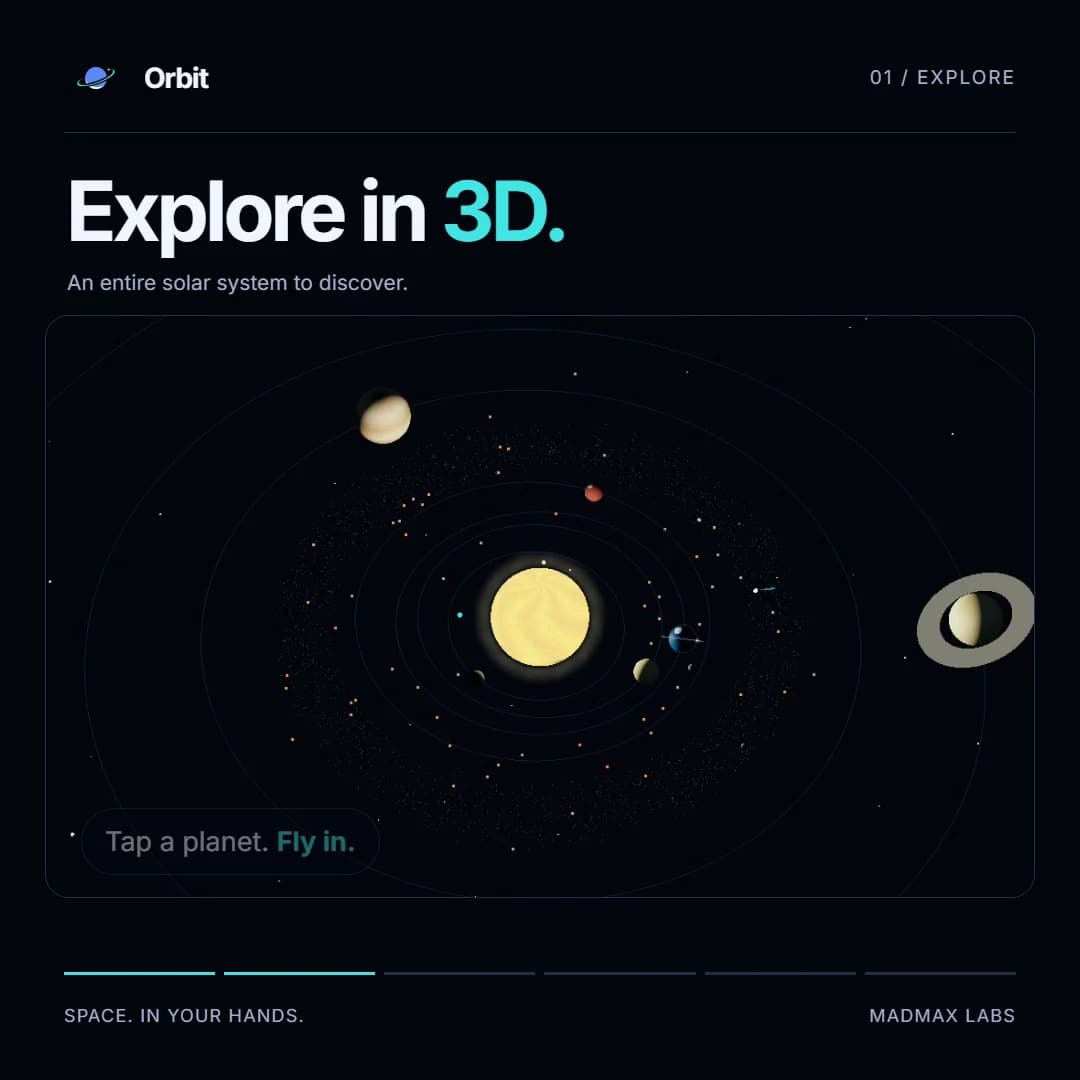
Try that before changing time. It makes it easier to notice which part of the scene changes when you use the next control. A simulation is useful because it lets you move around a scene that a photograph cannot show from every angle. It is still a visual model, rather than a live camera pointed at a planet.
If your immediate question is “can I see the ISS tonight?”, you can skip this section of the app and go straight to the station's passes. The solar system tour and an observing plan serve different purposes.
Use Time Machine, then return to Now
The next sequence accelerates the simulated date so the planets move through their orbits. The recording uses the one week per second setting. Watch the displayed date as well as the motion: that date is what tells you which moment you are exploring.
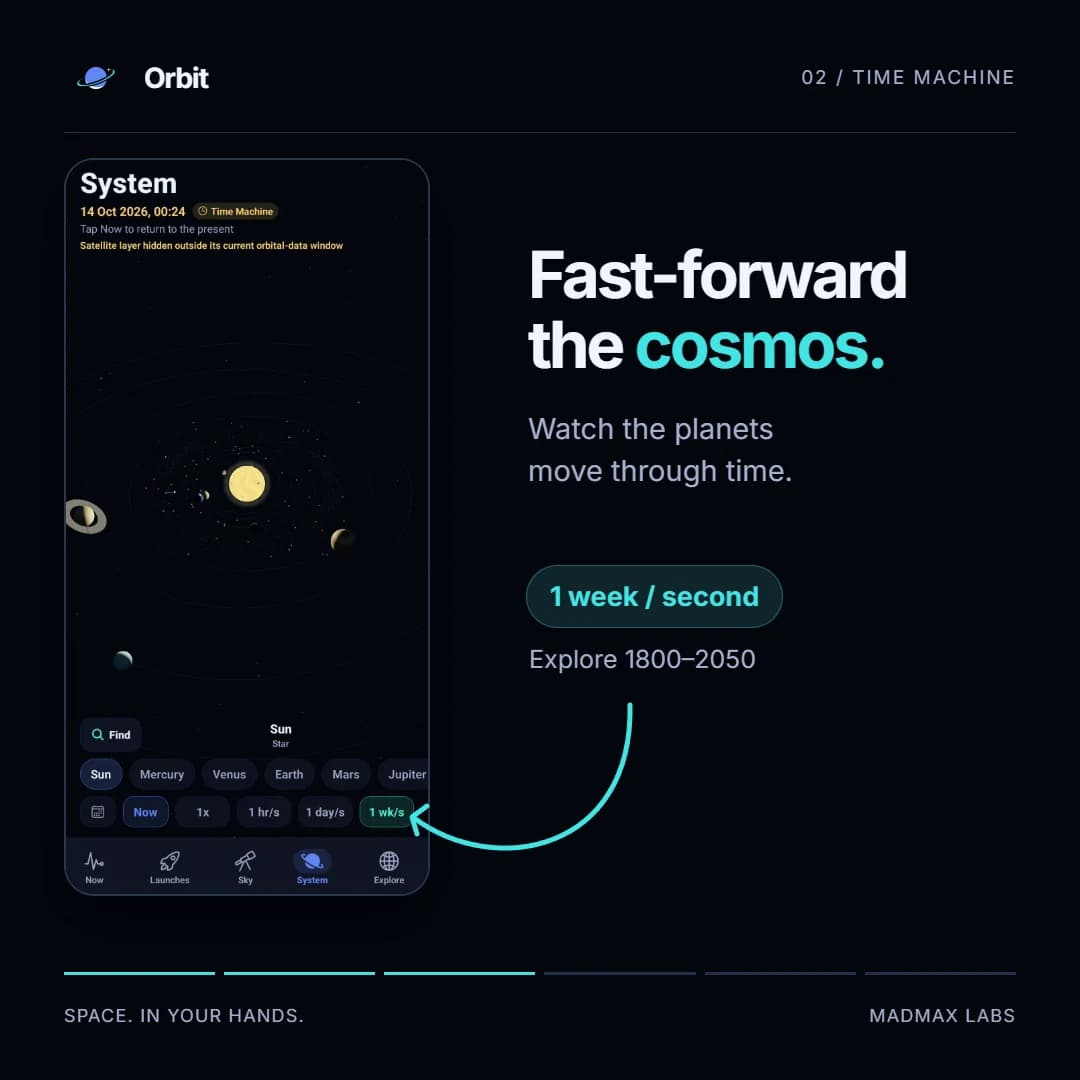
After experimenting, return the simulation to Now before using it to think about tonight. This is an easy detail to miss when you have been scrubbing through time. A scene set to another date can be perfectly valid for that date and still be the wrong reference for the sky outside your window.
Time Machine is good for seeing change. A visible-pass prediction is the more direct tool for deciding when to step outside. For the reason those predictions cluster around twilight, read why the ISS is visible around dawn and dusk.
Open a launch to understand the countdown
The launch sequence shows a countdown and the details behind it. Read both. A number ticking down makes a schedule feel settled, but the schedule comes from a public feed and can change.
Use a launch's current status and any available webcast link before planning around it. If the app says data is cached or stale, treat that as useful information about the source. A previously downloaded launch time does not become a fresh confirmation because its countdown is still moving.
The particular mission and countdown visible in our recording are there to demonstrate the screen. They are not a recommendation to watch that mission today. Open Orbit for the current list.
The ISS map answers a different question from the pass list
Near the end, the video opens the International Space Station card. The map and station details help answer “where is the ISS now?” The list of visible passes answers “when might I see it from here?”
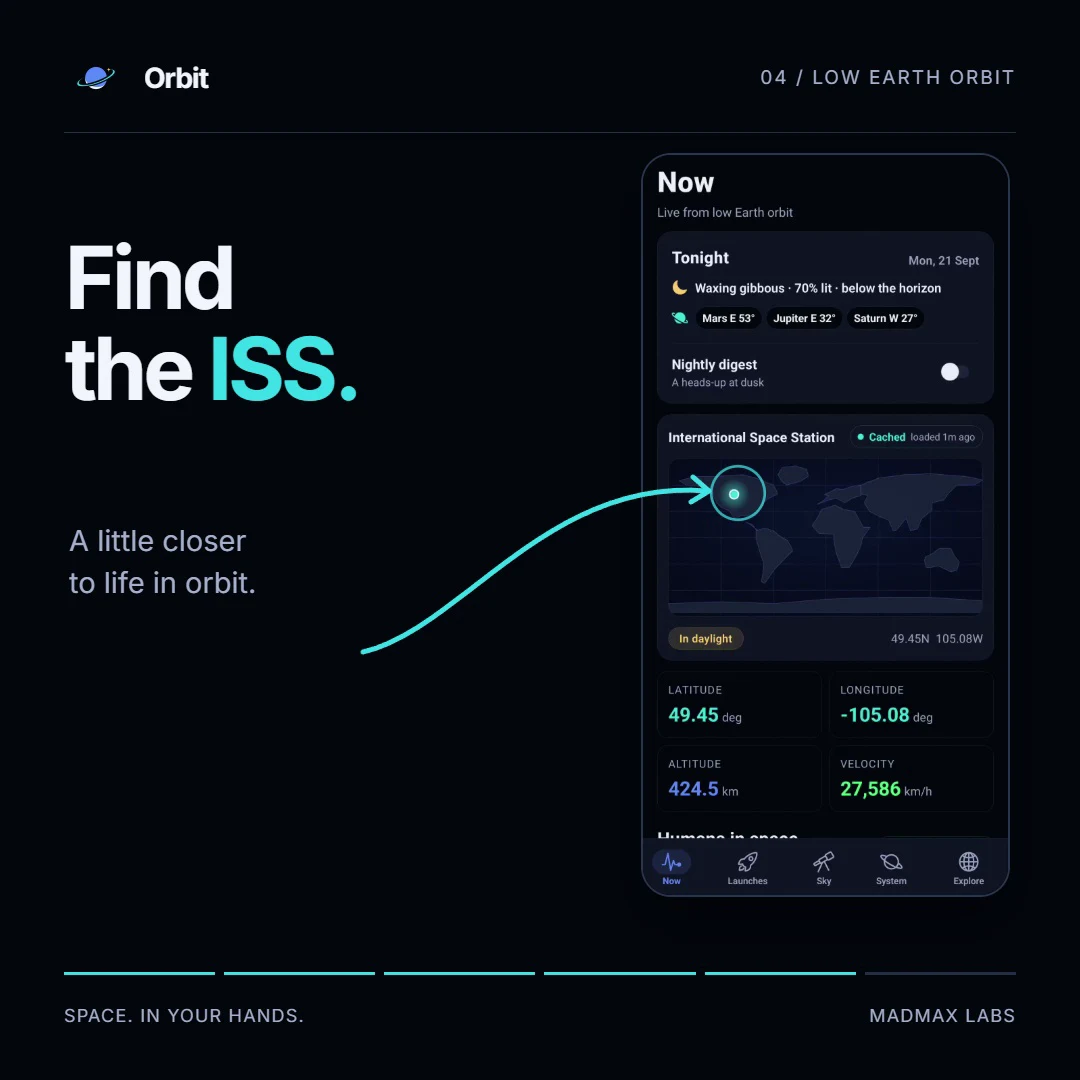
Those questions are related, but they are not interchangeable. A station position on a world map does not tell you whether your sky is dark, whether the station is sunlit or whether your horizon is blocked. That is why an observing plan needs a location and a visible-pass prediction.
For a first attempt, choose a predicted pass with a comfortable view above nearby buildings, check the prediction again that day and get outside before it starts. Our ISS viewing guide for India walks through directions, height above the horizon and what to expect. Any dated examples in a guide remain examples; use a refreshed prediction for the night you go out.
What this recording leaves out
We did not record Live Sky, the view where you point the phone at the sky, for this promo. The phone was face down during capture, so showing it would have made a poor demonstration. The video is a tour of selected features, not a complete operating manual.
For sky guidance on your own phone, location, sensor calibration and a clear view matter. For source-fed information, freshness matters. The current Google Play listing describes the Android release and its permissions; our product page gives the broader overview.
If you want the sky to sit quietly behind your work instead, see the Mac wallpaper walkthrough. That is a different Orbit experience, with its own purchase and desktop interface.
Common questions
Is the Orbit demo a live view of space?
No. It is an edited recording made on 21 September 2026. Launch countdowns, station coordinates and crew details belong to that recording. Open the app for its current readings and check their freshness labels.
Does the video show every part of Orbit?
No. It shows the 3D solar system, Time Machine, launches and the ISS. Live Sky, the phone-pointing view, was not recorded for this video.
Can I use Orbit without creating an account?
Yes. The Android app is free and does not require an account. Public feeds need an internet connection to refresh; on-device calculations and previously cached information have different connectivity needs.
Is Orbit for Mac the same app as Orbit on Android?
They share the sky-and-space subject, but have different interfaces and purposes. Android is an interactive pocket app. Orbit for Mac puts the sky on your desktop and a briefing in the menu bar, and is a separate paid purchase.
More guides
- How to see the ISS from India: when, which way to face and how high to lookThe ISS shows up over India in short runs at dawn and dusk. How to get the times for your city, which way to face, how high to look and why cities differ.
- Why the ISS is only visible at dawn and duskWe wrote the code that decides when the ISS is visible. The three tests it runs, the geometry of Earth's shadow, and 30 days of real passes over Bengaluru.
- A live sky wallpaper for Mac that follows your citySee Orbit's Mac sky wallpaper in action: choose a city, preview an ISS pass, open the menu bar briefing and understand what the desktop does between updates.
- Does live wallpaper drain battery on a MacBook?A video wallpaper works on every frame it plays. Mine draws one picture of the sky a minute. Measured CPU and memory, and how to check any app yourself.
- Dynamic wallpaper not changing on your Mac? 8 things to check, in orderMac dynamic wallpaper not changing or moving? Set the menu to Dynamic, then check Location Services, your time zone and Appearance, on Tahoe and macOS 27.
- Earliest sunset of the year 2026, and why it comes before the shortest dayEarliest sunset of the year 2026: 4:28 PM on 7 December in New York, 3:51 PM on 12 December in London, and why it falls before the year's shortest day.
- Free night sky wallpapers for Mac: eight 5K skies, from Orion to a supermoonFree night sky wallpapers for Mac and MacBook in 5K, each a real sky on a real date: Orion over New York, a supermoon, the Southern Cross and the ISS.
- Geminids 2026: the best night to watch, and when the Moon sets in 13 citiesThe Geminids peak on 14 December 2026 at 14:00 UT (7:30 PM in India) under a crescent Moon that sets early. The best night and moonset times for 13 cities.
- How do I know if I saw the ISS? Eight signs, and how to look up the passHow to know if you saw the ISS: a steady light, no blinking, a few minutes to cross. How to look up the pass, and rule out planes, Starlink and Tiangong.
- How my first Mac app got through App Review, Guideline 2.1 letter and allApple sent my first Mac app a Guideline 2.1 Information Needed letter. I answered the same day with a screen recording; it was approved five days later.
- How my Mac live wallpaper idles at 0.04% CPUMy live wallpaper idles at 0.04% CPU on a Mac. How it draws one picture of the sky a minute, stops when you can't see it, and what ate its memory instead.
- How to find Orion and its belt, with times for 13 citiesHow to find Orion: its belt is three stars in a short, straight row, low in the east on November evenings. Times for 13 cities, and why Australia flips it.
- How to find the North Star, and how high Polaris sits over your cityFind the North Star from the Big Dipper or Cassiopeia's W. It stands about as high as your latitude: 52° in London, 41° in New York, 13° in Bengaluru.
- How to get a live wallpaper on a Mac: what moves, and what it costsHow to get a live wallpaper on a Mac, free or paid: Apple's aerials, video apps, Plash for GIFs and the real sky over your city, with what each one costs.
- How to get a live wallpaper on a MacBook Neo without eating its 8 GBYes, a MacBook Neo can run a live wallpaper. Which kinds go easy on its 8 GB, the free ones Apple ships, the 2408 by 1506 size, and what my app weighs.
- How to get ISS pass alerts on a Mac, now that NASA's space station emails are goneNASA stopped Spot the Station's email and text alerts on 12 June 2025. Here's how to get ISS pass alerts now, on your phone or right on your Mac's desktop.
- How to put the Moon phase in your Mac menu bar (or a widget)Six apps put the Moon phase in a Mac or MacBook menu bar, from free to $6.99. Also: how to add a Moon widget, what Weather shows, and 2026's full moons.
- Is the ISS coming down? Yes, on purpose, after it retires in 2030Yes, the ISS is coming down, on purpose: NASA plans to retire it in 2030 and sink it in the South Pacific. Why it can't stay up, and how to see it first.
- Leonid meteor shower 2026: the best night and hours to watch, city by cityThe Leonid meteor shower peaks on 17 to 18 November 2026. The half Moon sets near midnight, so the hours before dawn are dark. Best times for 10 cities.
- Living with the real night sky as my Mac wallpaperMy Mac's wallpaper is the real night sky over the city I pick, redrawn every minute. What living with it is like, and why Bengaluru sees more sky than LA.
- Mac apps without a subscription: 14 you can buy onceMac apps without a subscription: 14 you can buy once in 2026, from Magnet at $4.99 to BBEdit at $59.99, with update terms where the seller states them.
- Mars and Jupiter conjunction, November 2026: what time to look in your cityMars and Jupiter conjunction: 1.2 degrees apart before dawn, 15 and 16 November 2026. Times for New York, London, Bengaluru and Sydney, and which is which.
- Quadrantid meteor shower 2027: when to look in 16 cities, India includedThe Quadrantids peak on 4 January 2027 at 03:25 UT, for only a few hours, under a thin crescent Moon. When and where to look in 16 cities, India included.
- Supermoons in November and December 2026: the Beaver Moon and the Cold MoonTwo supermoons end 2026: the Beaver Moon on 24 November and the Cold Moon on 23 to 24 December, the year's closest full Moon. Moonrise times for 8 cities.
- The best astronomy apps for Mac in 2026, and which ones are iPad appsThe best astronomy apps for Mac in October 2026: Stellarium, Night Sky, SkySafari, Starry Night 8 and more, with US prices and which ones are iPad apps.
- What is the bright star in the east before sunrise? Late 2026, date by dateThe bright star in the east before sunrise is Jupiter, then Venus from early November 2026. Where to look and how high, for New York, London and Bengaluru.